
Forget what you know about optimizing websites for human eyes. When we talk about AI agents interacting with web applications, we're entering a fundamentally different game. These aren't just advanced screen scrapers; they're intelligent systems trying to understand intent, execute actions, and navigate complex interfaces programmatically. And they don't "look" at pixels. They parse code.
At DoBeacon, we spend a lot of time thinking about how AI agents can reliably interact with web apps to build things like guided product tours. What we've learned is that for an autonomous agent, your site's underlying structure, accessibility, and explicit tool definitions are paramount. Here's what you, as an engineer, need to be thinking about when building for the next generation of web consumers: LLMs and AI agents.
Machine-Readable Code Architecture
This is where it all begins. If an AI agent can't reliably read and understand your site's structure, it's going to make mistakes. Period.
The Accessibility Tree as an AI Map
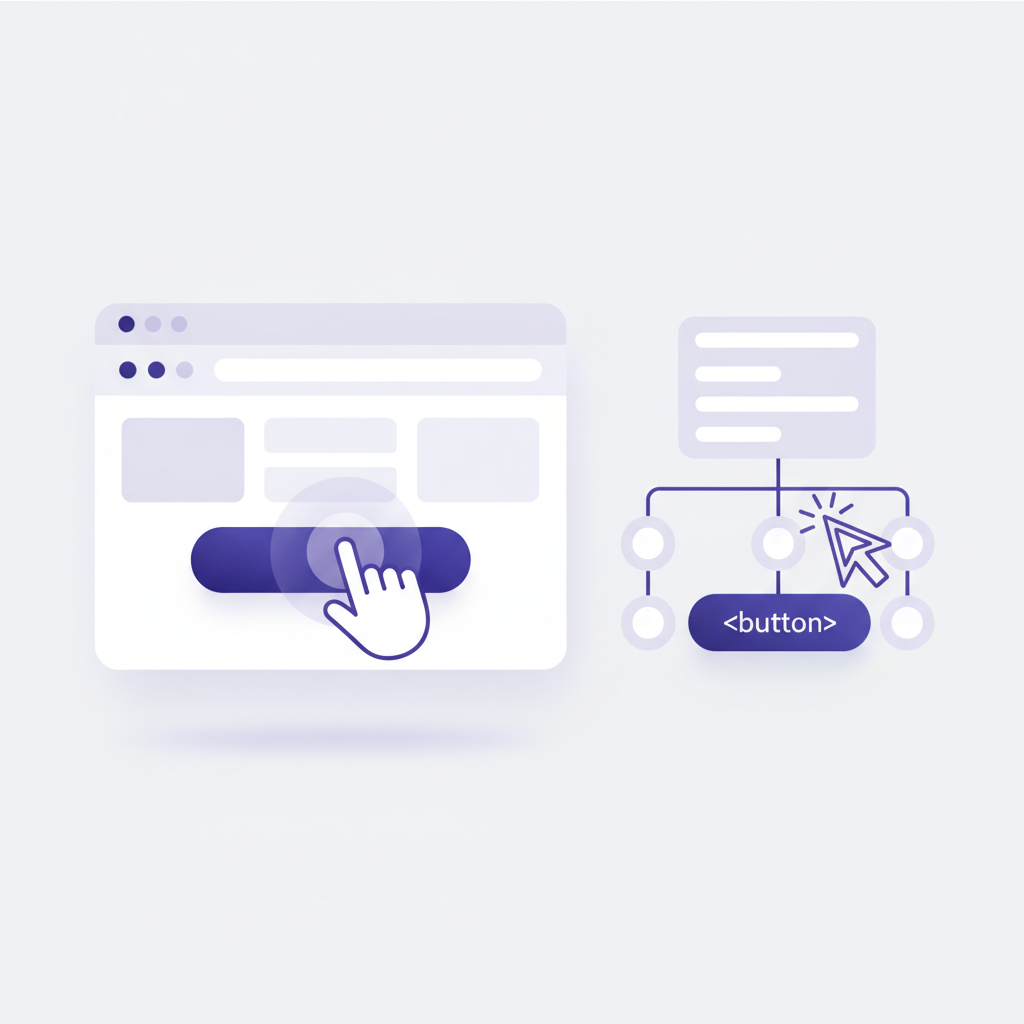
When I'm building a new component, I always start by asking myself: "How would a screen reader interpret this?" That's not just a nod to inclusivity (which is vital), but a practical approach to making your application machine-readable. Semantic HTML elements – <main>, <nav>, <article>, <button>, <form> – aren't just for good measure; they automatically construct the browser's Accessibility Tree. This tree is an AI agent's primary navigation map.
A well-formed, semantic tree ensures that an LLM can identify the main content, interactive fields, and structural boundaries without wasting context tokens trying to guess intent. It's the difference between giving an agent a detailed blueprint versus a fuzzy photograph. If you're relying heavily on <div> soup with onClick handlers everywhere, you're making life incredibly hard for an AI trying to parse your page. I've seen complex applications where the Accessibility Tree is so broken, even simple interactions become a guessing game for an agent.
Cumulative Layout Shift (CLS) Stability
Imagine an AI agent told to click a button at specific coordinates on your page. What happens if, just before the click, an asynchronously loading ad or image pushes that button down 20 pixels? The agent clicks an empty space, or worse, clicks the wrong element. This is why a Cumulative Layout Shift (CLS) score of 0 is critical for automation.
Any layout shifts, however small, can cause AI agents executing programmatic click paths or scraping sequences to miss target coordinates, resulting in broken execution loops. It's not just an annoyance for human users; it's a mission-critical failure point for AI. We’ve found that even minor shifts can throw off complex multi-step processes, forcing us to build in elaborate retry logic that wouldn't be necessary on a truly stable page. Focus on eliminating layout shifts from the start.
 ## LLM Crawling & Content Discovery Permissions
Just as robots.txt governs traditional search engine crawlers, we're seeing new decentralized standards emerge for how LLMs scrape data. This isn't just about preventing your server from being hammered; it's about providing correct context to prevent AI models from hallucinating or misinterpreting your site.
The llms.txt File Standard
This is a relatively new concept, but one I think will become indispensable very quickly. The idea is simple: a llms.txt file located at your root directory (/llms.txt) provides brief, clean context specifically targeted at LLM crawlers. Unlike robots.txt, which often just says "don't look here," llms.txt is designed to say "here's how to understand me."
It needs to be written in clean Markdown, contain at least one <h1> header defining the site, and ideally uses structured sections to point LLMs to primary resources, API endpoints, or summary files (/llms-full.txt). This prevents models from guessing your site's purpose, usage constraints, or licensing data during ingestion. If you've got critical information about your product that you want AI agents to get right, put it here. It's far more reliable than hoping an LLM sifts through your About Us page.
The Model Context Protocol (MCP) & WebMCP
The real shift from a passive web (reading content) to an active web (executing actions) relies heavily on the Model Context Protocol (MCP), an open standard that enables LLMs to use external tools safely. WebMCP brings this capability natively to web browsers and applications. This is where you can explicitly tell an AI what it can do on your site.
WebMCP Form Coverage
Think about the sheer number of forms on the web. Booking a flight, submitting a lead, configuring a product. For an AI agent to do any of this, forms require precise semantic validation and explicit machine-readable annotations – attributes defining data types, required constraints, and logical steps. Standard HTML5 input types (type="email", type="number") are a great start, but we can do more with ARIA attributes and custom data attributes to provide even richer context. Proper coverage allows an agent to programmatically recognize input fields, fill out parameters, and submit data without human intervention. If your forms are ambiguous, an AI agent will simply get stuck, or worse, submit incorrect data.
Tool Registration & Capability Exposure
This is the part that genuinely excites me. Instead of an AI agent trying to infer what it can do by looking at your UI, you explicitly tell it. You expose specific site functionalities as registered "Tools" within the WebMCP framework. This allows the browser environment to tell an interacting LLM: "Here is a structured tool you can run to filter these products or execute this calculation." It's like giving an AI a menu of powerful, pre-defined functions it can call, complete with expected inputs and outputs. We use these precise tool definitions at DoBeacon to build robust, multi-step user flows that would be incredibly brittle otherwise.
WebMCP Schema Validation
For those tools to work, the underlying schema has to be rock solid. Rigorous validation of JSON schemas or OpenAPI specifications associated with your site's interactive components isn't optional; it's fundamental. If your schema contains syntax errors, type ambiguities, or missing descriptions, the LLM will fail to construct the correct payload to interact with your application. It’s a classic "garbage in, garbage out" scenario, but the "garbage" here can be subtle schema errors that only manifest when an AI tries to use them. Treat your WebMCP schemas with the same rigor you'd apply to a mission-critical API specification.
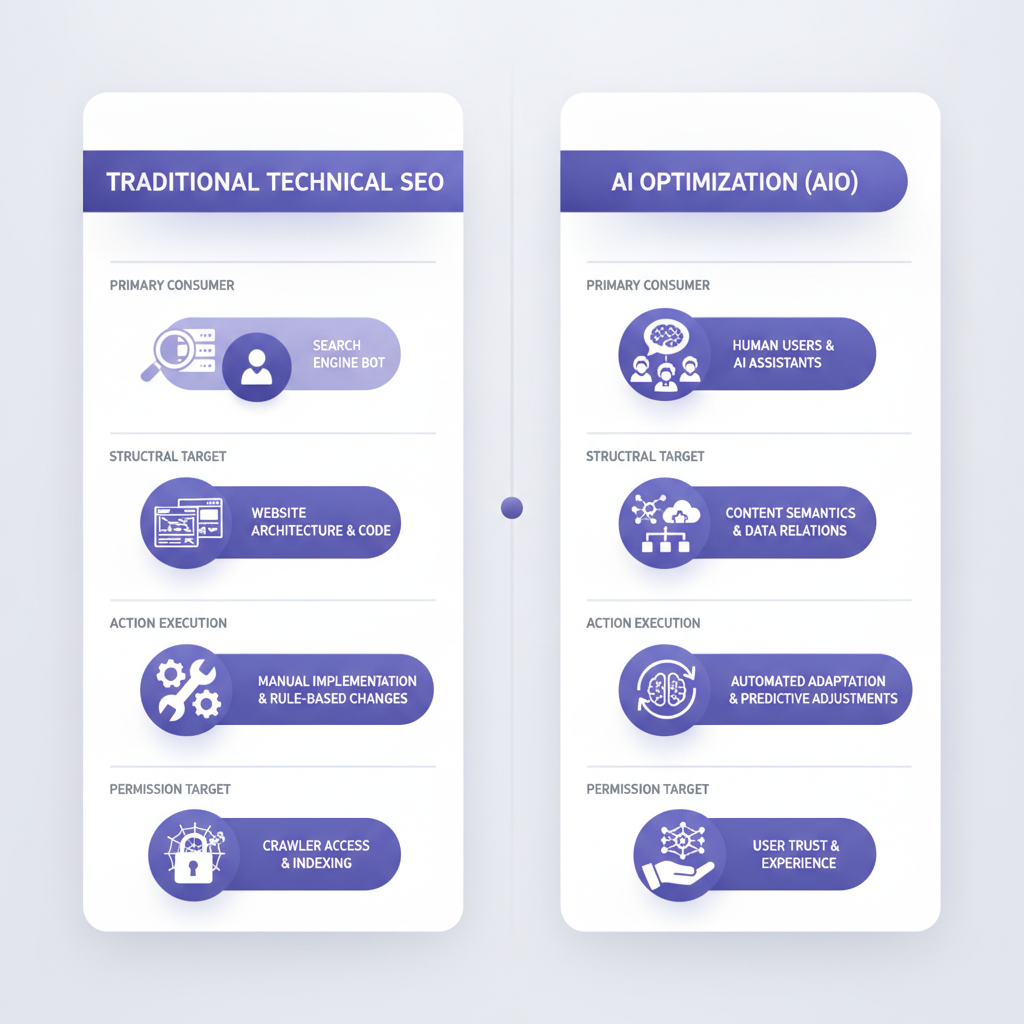 ### Technical SEO vs. AI Optimization (AIO) Matrix
Ultimately, all of these points represent a profound shift. Traditional Technical SEO has focused on human users navigating via browser search result pages, prioritizing keyword density, visual performance, and meta descriptions. AI Optimization (AIO) shifts the primary consumer to LLM scrapers, retrieval-augmented generation (RAG) pipelines, and autonomous agents. This isn't just an evolution; it's a reorientation.
Your structural target changes from just good titles and headers to a flawless Accessibility Tree, clear DOM boundaries, and rich JSON-LD schema parsing. Action execution moves from manual human clicks to programmatic tool calls via WebMCP, automated form handling, and API abstractions. And your permission target evolves from robots.txt to llms.txt Markdown structures.
This isn't to say traditional SEO is dead. It's just that for engineers, the most impactful work now leans heavily into making sites truly understandable and actionable for machines. You can have the most beautifully optimized keyword strategy in the world, but if an AI agent can't figure out how to click your 'Add to Cart' button, it's all for naught.
At DoBeacon, we're building the tools to help you create, manage, and scale these AI-friendly interactions, allowing you to design and launch complex product tours and automated workflows without needing to rewrite your core application. We handle the intricacies of WebMCP, semantic parsing, and robust execution, so you can focus on building amazing products.
Build your first tour for free at https://dobeacon.com/signup